Apple has officially released iOS 27 to the public today, September 14, 2026. This isn’t a beta, it’s the full stable release, and Apple’s own software page now lists it as available starting today across every eligible iPhone.
Siri AI Is the Headline Feature
The single biggest change in iOS 27 is an almost completely reworked Siri, which Apple is branding Siri AI. Built on the next generation of Apple Intelligence, it’s designed to understand far more natural requests, pull context from your own apps, read what’s currently on your screen, and actually carry out actions instead of just pointing you toward them.
In practice, that means Siri can now search across Messages, Mail, Photos, Notes, and Calendar to answer personal questions. Apple’s own example is asking it to dig up photos from a past trip or track down a buried email. It can create reminders, draft and edit text through Write with Siri, keep a running conversation going inside a dedicated Siri app, and even adjust its own voice, tone, and speaking pace. Despite iOS 27 itself shipping as a stable release, Apple is notably still labeling Siri AI as a beta feature, a sign the company wants real-world usage data before calling it finished. It’s also English-only at launch, with broader language and regional support rolling out gradually, and current reporting indicates parts of Siri AI won’t be available in the European Union right away due to ongoing regulatory friction.
Apple Intelligence Spreads Across the Entire OS
Rather than keeping AI confined to a few showcase features, iOS 27 threads it through nearly every corner of the system. Siri can now take real actions inside apps creating a calendar event, sending an email, adding a song to a playlist, editing a message, or enhancing a photo instead of just explaining how to do it yourself.
Photos gets some of the most visible upgrades: Spatial Reframing lets you recompose a shot after the fact, Extend uses generative AI to expand an image past its original edges, and Clean Up can now erase much larger unwanted objects. Image Playground also picks up more capable, photorealistic image generation. Then there’s the new Siri mode in the Camera app, which combines the camera feed with Siri and Visual Intelligence to point your phone at something and just ask Siri about it, turning the camera into a starting point for action rather than just a way to take a picture.
Safari picks up automatic tab organization by topic and a new Notify Me feature that watches webpages for price drops or restocks. The Passwords app is getting smarter about flagging weak or compromised logins, though Apple says the auto-update piece of that is coming in a later software update rather than shipping today. Shortcuts, meanwhile, can now be built just by describing what you want in plain language. Apple’s example is telling it to message someone your ETA whenever you leave work, though Apple notes this feature comes with daily usage limits.
Liquid Glass Gets Refined, and Apple Is Promising Real Speed Gains
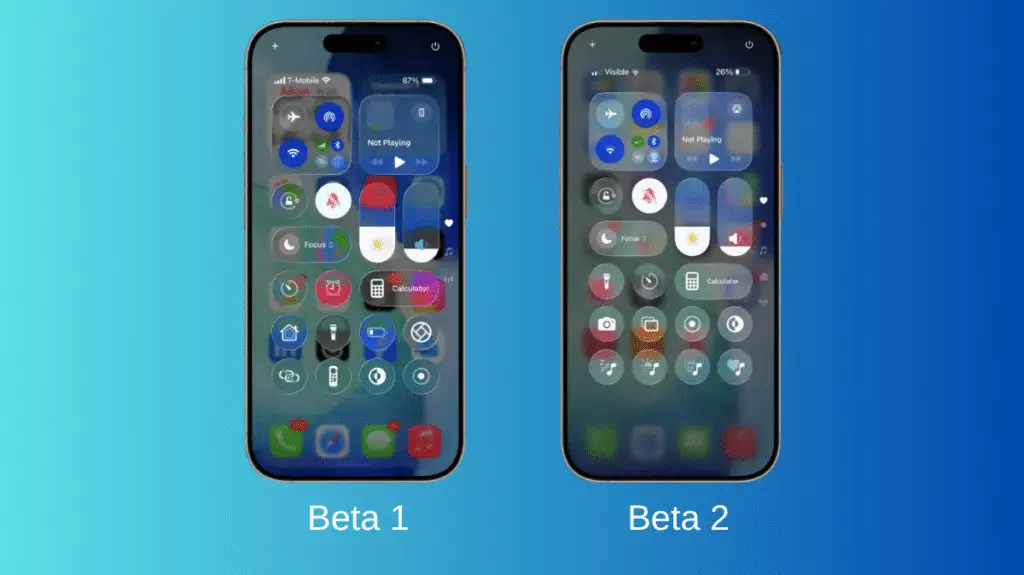
iOS 27 doesn’t scrap the Liquid Glass design Apple introduced previously; it sharpens it. Apple says readability, contrast, refraction, and icon clarity are all improved this round, and there’s now a slider in Settings that lets you push the whole interface anywhere between ultra-clear and fully tinted.
On performance, Apple is citing some fairly aggressive numbers: app launches up to 30% faster, new photos loading in the Photos app up to 70% faster, and AirDrop transfers up to 80% faster. Those are Apple’s own figures under specific conditions, so they’re worth treating as best-case examples rather than guaranteed results on every device.
Child Safety, Accessibility, Health, and Everything Else
iOS 27 also brings a substantial parental-control overhaul, including Ask to Browse (kids need permission before visiting new sites), more granular Time Allowances, a redesigned Screen Time experience, and age-based protections that restrict adult content without requiring a child’s exact birthdate to be shared with developers.
Accessibility gets richer VoiceOver image descriptions, Action Button integration with VoiceOver, automatic synced captions on video, and new Magnifier capabilities. Health adds dedicated perimenopause and menopause tracking inside Cycle Tracking. Maps’ Flyover mode now blends aerial imagery with Visual Intelligence for far more detailed 3D representations of places, down to individual tree shapes. Home gains AI-summarized notifications and the ability to describe and search HomeKit Secure Video footage in plain language, GymKit is finally coming to iPhone for real-time stats from compatible cardio machines, AirPods pick up a Custom EQ option plus AI-powered Live Translation, and Shared Albums in iCloud get easier cross-platform participation along with full-resolution sharing.
Which iPhones Actually Get the Full Experience
Compatibility is broader than usual iOS 27 runs all the way back to the iPhone 11 and the second-generation iPhone SE, alongside every model up through the brand-new iPhone 18 Pro and Pro Max and Apple’s first foldable, the iPhone Duo.
But running iOS 27 and getting the full iOS 27 experience are two different things. Apple Intelligence, and therefore Siri AI, is restricted to the iPhone 15 Pro, iPhone 15 Pro Max, and iPhone 16 and later. That means an iPhone 11 through 14 can install iOS 27 just fine but won’t see any of the AI features that make this release notable, and even the standard iPhone 15 misses out since it falls just short of Apple’s Intelligence requirements.
When It Lands and What Came Before It
Apple first showed off iOS 27 at WWDC on June 8, 2026, ran it through a summer-long beta cycle, and confirmed the September 14 release date alongside its new iPhone lineup on September 9. As covered in our earlier timing breakdown, the rollout follows Apple’s usual staggered pattern rather than hitting every region simultaneously.
Strip away the smaller additions and iOS 27 really comes down to three things: Siri is finally becoming a genuine AI assistant instead of a voice-command shortcut, Apple Intelligence is now woven through the entire OS instead of living in a handful of demos, and Apple has quietly split “can run iOS 27” from “gets the full iOS 27 experience” a distinction that’s going to matter a lot more than the version number itself for anyone on an older iPhone.

M Adnan Akram is the founder and lead writer at Phoonomo, covering mobile technology with a primary focus on Samsung and the broader smartphone industry, alongside emerging developments in AI. He follows product launches, spec leaks, and industry trends closely to keep readers informed with timely updates.
Discover more from Phoonomo
Subscribe to get the latest posts sent to your email.