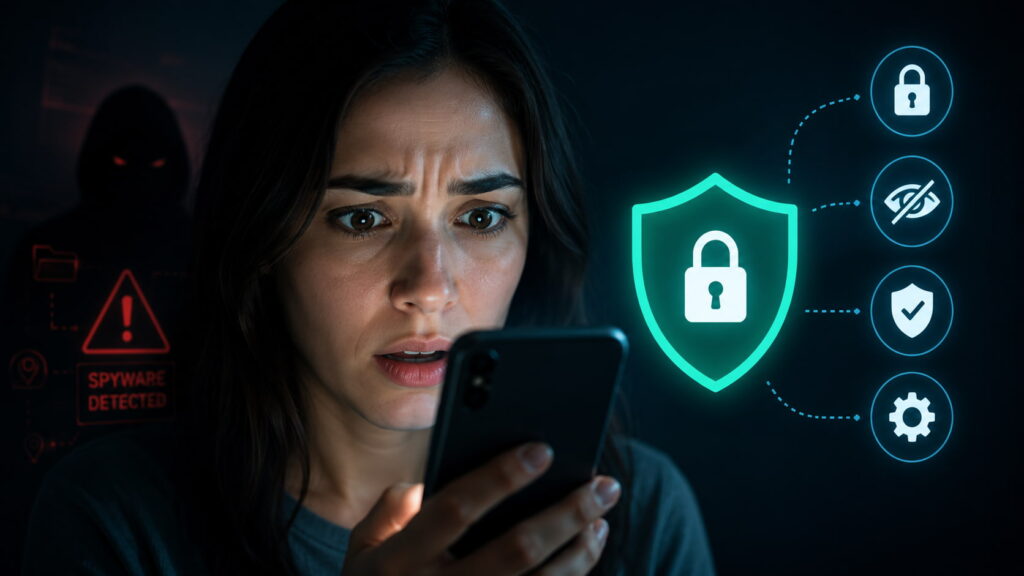
In early 2025, WhatsApp quietly sent notifications to roughly 90 users across Europe journalists, human rights defenders, civil society members telling them they had been targeted by Paragon Solutions, an Israeli spyware company. Months later, Apple sent its own threat notifications to another group of iOS users. Forensic analysis confirmed two of them, both journalists, had been hit with Paragon’s Graphite spyware through a zero-click attack meaning they didn’t tap a single link or open a single file. The spyware installed itself silently and started recording everything.
This isn’t a story about exotic, once-in-a-decade attacks on high-profile targets. Security researchers have documented these cases happening consistently for over 15 years. Journalists, activists, lawyers, political opponents, people whose work puts them in the crosshairs of governments willing to pay millions for the right tools.
The good news is that Apple, Google, and Meta have all built serious defenses specifically designed to counter these attacks. They’re free. They’re available right now on your device. And according to security researcher Runa Sandvik, who has spent over a decade protecting at-risk communities: “These features are free, easy to enable, and the best defense we have today against sophisticated spyware. If the features get in the way of something you need to do, you can easily turn them off again.”
Here’s exactly what each feature does and how to turn it on.
What Spyware Actually Does to Your Phone
Before getting into the solutions, it helps to understand the threat. Government-grade spyware tools like NSO Group’s Pegasus or Paragon’s Graphite gives its operators essentially complete access to your device. We’re talking about the ability to:
Record your phone calls in real time. Read every message across every chat app. Access all your photos and files. Switch on your camera and microphone remotely to record conversations happening near you. Track your precise location continuously.
All of this happens invisibly. No notification. No battery warning. No performance slowdown you’d notice. The phone looks and feels normal while everything on it is being read and transmitted elsewhere.
The attacks have become increasingly sophisticated zero-click exploits mean you don’t even have to make a mistake for your device to be compromised. That’s why the defenses matter so much.
Apple Lockdown Mode The Strongest iPhone Protection Available
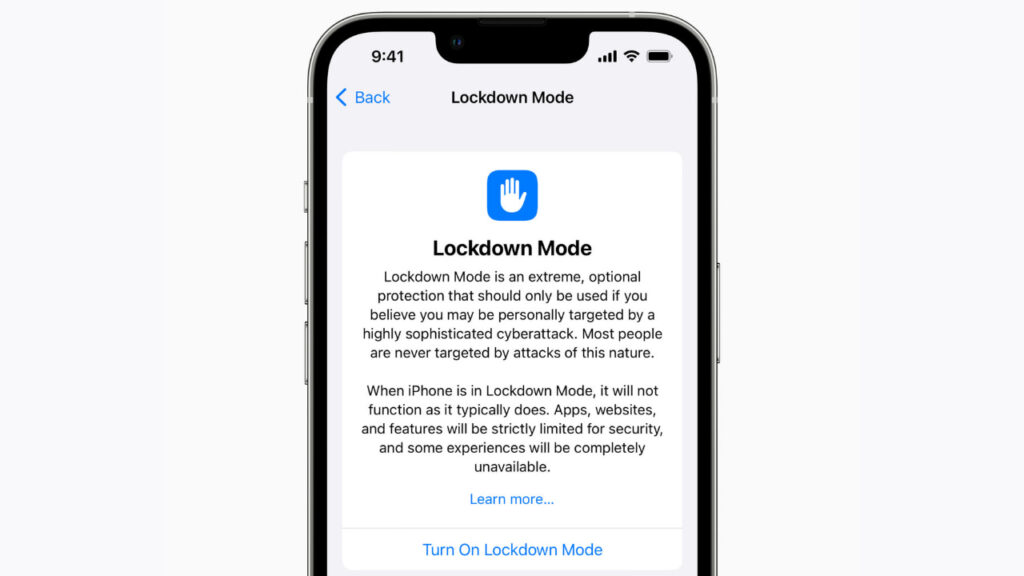
Apple’s Lockdown Mode is available on every iPhone, iPad, and Mac. When you turn it on, Apple itself says “your device won’t function like it typically does” and that’s exactly the point. The limitations are intentional, trading some convenience for dramatically improved security.
What changes when Lockdown Mode is on:
Most iMessage attachments are blocked by default only basic images, video, and audio get through. Link previews in messages are disabled. Incoming FaceTime calls from people you haven’t contacted in the last 30 days are blocked. Certain web technologies and fonts are blocked in Safari. You can’t connect to 2G or 3G networks. Public Wi-Fi connections require manual approval. USB accessories require the device to be unlocked before connecting.
Does it actually work? Yes. Citizen Lab found that Lockdown Mode successfully stopped a Pegasus spyware attack. As of early 2026, Apple stated it has never detected a successful attack on an Apple device with Lockdown Mode enabled. That’s a remarkable claim and so far it’s held up.
How to turn it on: Settings → Privacy & Security → scroll down to Lockdown Mode → Enable. Your device will restart. You can selectively disable Lockdown Mode for specific trusted websites without turning off the feature entirely.
Google’s Advanced Protection Program Fortifying Your Google Account
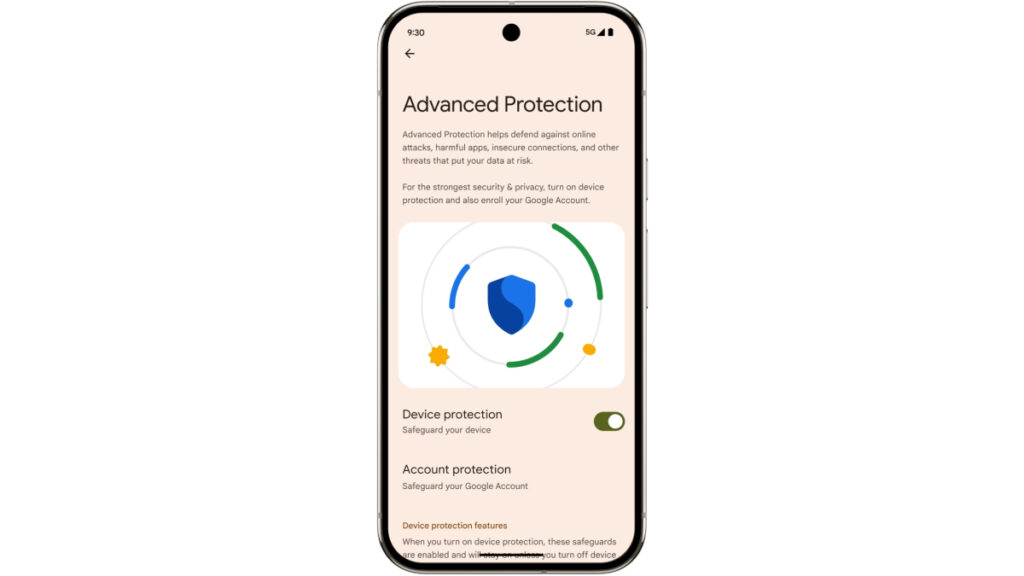
Google launched its Advanced Protection Program back in 2017 specifically designed to protect people at elevated risk of targeted attacks against their Google accounts.
The program restricts third-party app access to your Google account, enables deep Gmail scanning for phishing and malicious content, turns on Google Safe Browsing in Chrome, and adds extra verification steps whenever someone attempts to access your account. On Android devices, it limits app installation to verified app stores only.
How to turn it on: Visit Google’s Advanced Protection page, click “Get Started,” and follow the instructions. You’ll need to add a physical security key or software passkey as an additional authentication factor alongside your password.
Android’s Advanced Protection Mode Your Device-Level Shield
Google introduced Advanced Protection Mode for Android recently, a direct response to Apple’s Lockdown Mode and a serious upgrade to Android’s security baseline.
The feature enables Google Play Protect to continuously monitor all installed apps for harmful behavior. Apps from unknown sources are completely blocked. The Memory Tagging Extension (MTE) a hardware-level protection activates on supported devices to guard against certain vulnerability exploits. The device locks automatically if it detects theft-indicative movement like sudden fast motion. If the phone has been locked for 72 hours, it automatically reboots making forensic extraction tools like Cellebrite significantly harder to use. USB connections are blocked while the device is locked. Connection to 2G networks is blocked entirely.
An optional Intrusion Logging feature is also available for researchers investigating potential spyware attacks on their devices.
How to turn it on: Settings → Security and Privacy → Other Settings → Advanced Protection → Device Protection.
WhatsApp Strict Account Settings Protecting the World’s Most Targeted Messaging App
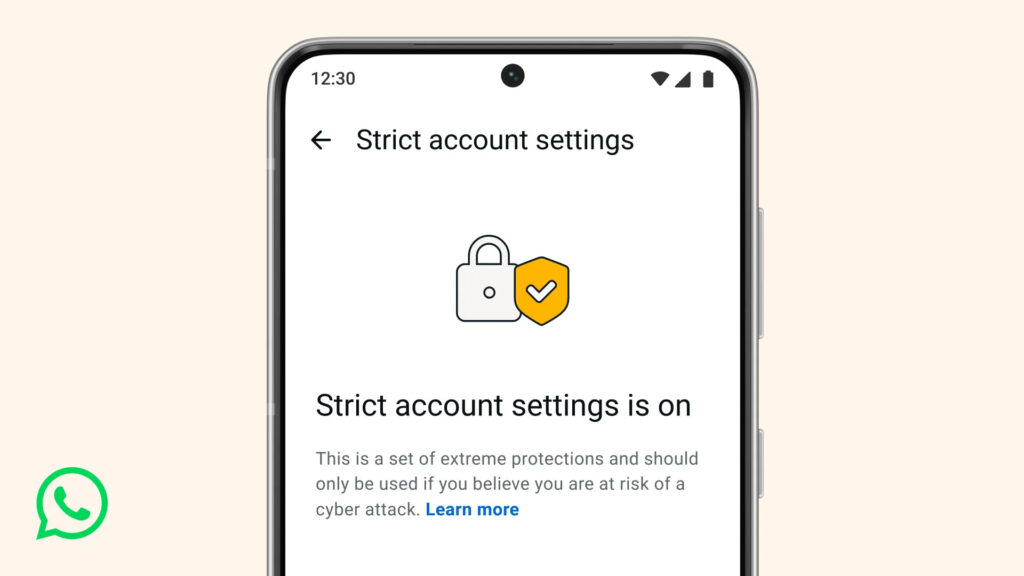
WhatsApp has over 3 billion users which makes it the highest-value target for government surveillance operations. In 2019, NSO Group ran a hacking campaign that compromised approximately 1,200 WhatsApp users. In early 2025, another operation caught 90 users in Europe. The demand for WhatsApp exploits is so high that working zero-click attacks can cost millions of dollars on the black market.
WhatsApp responded by launching Strict Account Settings, an opt-in feature that tightens privacy and security controls significantly across both Android and iOS.
What Strict Account Settings turns on:
Two-step verification activates automatically. Security notifications alert you if a contact changes their device or if someone attempts to take over your account. Attachments and media from unknown senders are blocked by default. Link previews are disabled. Calls from unknown numbers are silenced automatically. Your IP address is hidden during calls preventing location exposure. Your profile photo, last seen status, and About information are hidden from anyone who isn’t already your contact or in a pre-existing group with you. Only contacts or existing group members can add you to new group chats.
How to turn it on: Settings → Privacy → Advanced → turn on Strict Account Settings. It takes about 15 seconds.
Practical Reality Who Should Actually Use These Features
Security researcher Runa Sandvik is direct about the target audience: journalists, human rights defenders, activists, lawyers, and political dissidents working in environments where government surveillance is a realistic threat. If your work involves sensitive sources, whistleblowers, or documenting government or corporate wrongdoing these features are essentially mandatory.
But here’s the broader point: even if you’re not a high-risk target, these features make your phone meaningfully harder for anyone to compromise. Cybercriminals, data brokers, and opportunistic hackers all benefit from the same vulnerabilities that government spyware exploits. Closing those doors protects you from the whole ecosystem of threats, not just the expensive government-grade tools.
The tradeoffs are real but manageable. Some websites behave slightly differently in Lockdown Mode. Some conveniences disappear. But as Sandvik notes if something specific stops working, you can selectively turn individual restrictions off without disabling protection entirely. The cost of turning these features on is low. The cost of not having them when you need them is potentially everything on your device.
The Bottom Line
Spyware attacks aren’t slowing down. The tools are getting cheaper, the attacks are getting more automated, and the targets are expanding beyond heads of state and senior journalists to include anyone whose work creates powerful enemies.
Apple’s Lockdown Mode, Google’s Advanced Protection Program, Android’s Advanced Protection Mode, and WhatsApp’s Strict Account Settings are all free, available right now, and proven effective against the most sophisticated mobile surveillance tools currently deployed.
Turn them on today. All four. It takes under ten minutes and if you ever actually need them, you’ll be extremely glad you didn’t wait.
Discover Also Apple’s iOS 26.5 Brings a New Pride Wallpaper and It’s Stunning

M Adnan Akram is the founder and lead writer at Phoonomo, covering mobile technology with a primary focus on Apple and the broader smartphone industry, alongside emerging developments in AI. He follows product launches, spec leaks, and industry trends closely to keep readers informed with timely updates.
Discover more from Phoonomo
Subscribe to get the latest posts sent to your email.