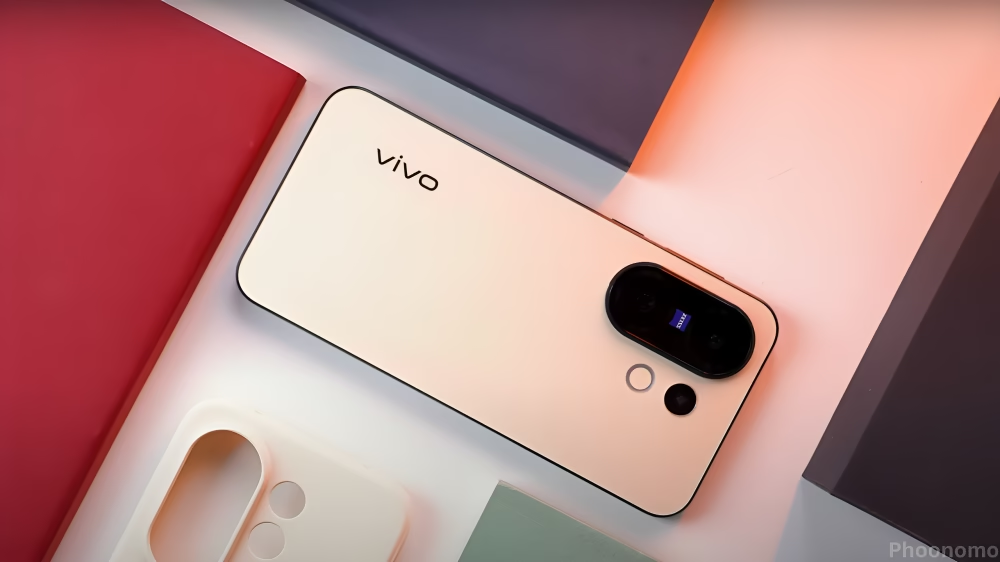
After spending a few days with OriginOS 6, I can finally say that Vivo has done something we’ve all been waiting for. They’ve replaced the old FunTouch OS with something that actually feels modern, intelligent, and premium. As someone who’s used Vivo phones for years, this update feels like a completely new chapter.
On the surface, it might look like just another skin refresh, but once you start using it in your daily routine, the changes really stand out. The focus this time is on smoothness, design, and smart personalization, and Vivo seems to have nailed each of them surprisingly well.
The Difference You Feel Right Away
The first thing I noticed right after updating my phone was how smooth the interface felt. It’s not just about faster animations, it’s the way everything moves and flows. Vivo has introduced two new systems under the hood called the Smoothness Engine and the Snap-Up Engine. Together, they make sure the screen transitions, app launches, and scrolling all happen without any lag or tiny stutters.
On FunTouch OS, I used to notice small frame drops when switching between heavy apps. But on OriginOS 6, even when I quickly open and minimize multiple apps, it feels incredibly fluid. The whole UI seems to respond faster to touch, which makes a big difference when you’re multitasking.
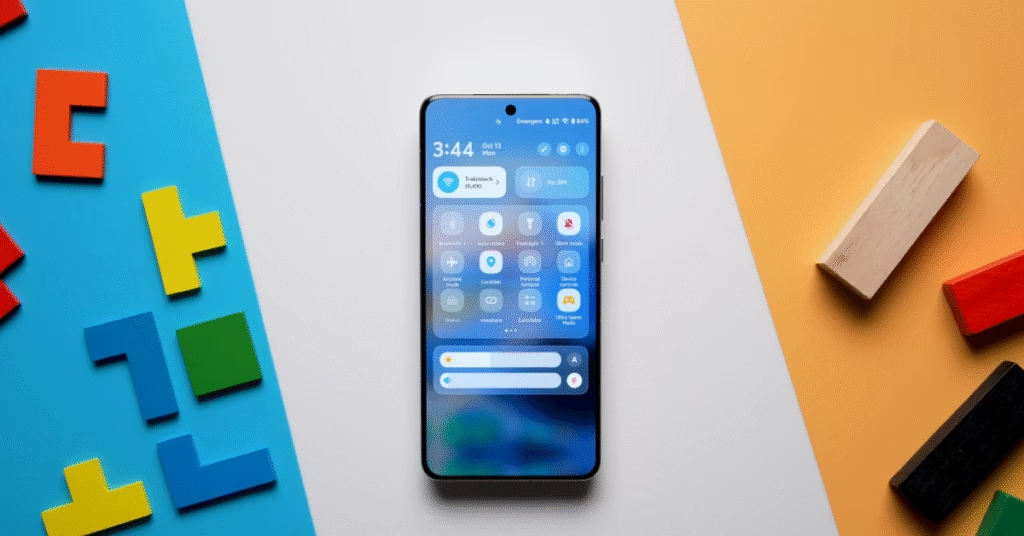
Even small things like the control center animation feel different. When you swipe down to check your Wi-Fi or battery, the icons glide with a soft blur; it looks cleaner and more polished. You can tell Vivo paid attention to those small details that make daily use more pleasant.
Design That Finally Feels Premium

If I had to describe the new design in one word, I’d say refined. FunTouch OS was always functional, but it never really looked consistent or premium. That changes completely here.
The Control Center has been redesigned with a glassy texture that looks really elegant. You can pull down from the top right for quick settings and from the left for notifications or merge both panels if you prefer the classic Android style.
The Settings menu now follows a clean card-style layout, making it easier to find what you need. It actually reminds me a bit of OxygenOS, but Vivo has given it its own personality. The new Vivo Sans font is neat and minimal, and the icons have rounded edges that blend perfectly with the overall soft design.
The lock screen customization is one of my favorite parts of OriginOS 6. You can mix and match different elements using a feature called Combination Locker. That means you can take the clock design from one theme and the animation from another and combine them however you like.
There’s also something called Flip Cuts, which lets you set multiple photos on your lock screen. When you tilt your phone, the images switch; it’s a small but fun feature that adds life to your wallpaper.
And if you love creative lock screens, you’ll enjoy the Film Filter mode. It lets you apply cinematic filters to your photos before using them as your background. There’s even a Magazine-style lock screen that makes your phone look like a digital cover photo.
Overall, the design feels like it finally belongs in 2025 modern, fluid, and very user-friendly.
Everyday Use and Performance
When I compared it to FunTouch OS in day-to-day tasks, OriginOS 6 was noticeably faster and more consistent. App switching feels instant, and background apps stay active longer without reloading. Vivo has clearly optimized memory management.
I tried basic tasks like browsing, watching YouTube, and editing photos, and the system never felt heavy. The animations stay smooth even when running multiple apps. The battery performance also seems slightly better, likely due to improved resource handling.
The volume control panel is redesigned too; it slides in from the side and glows subtly when adjusted. You can now expand it to control notifications, calls, and alarms separately. These little touches make everyday interactions feel more thoughtful.
Widgets also got a big improvement. There are new categories for health, notes, and device management. They resize smoothly, and their animations now match the rest of the interface perfectly. It feels like every element belongs together, which wasn’t always the case before.
Smart Features That Actually Help
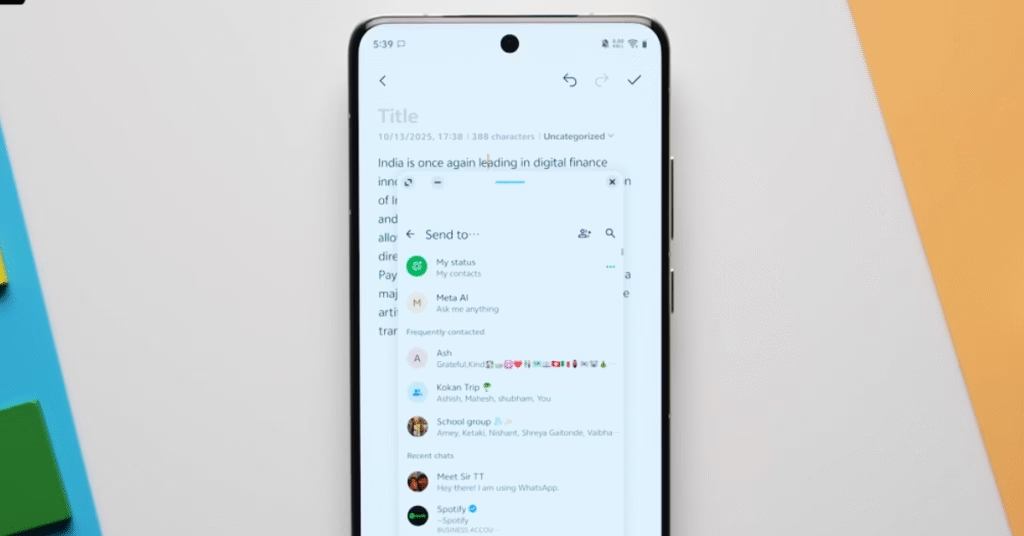
The biggest addition for me is something Vivo calls Origin Island. It’s not just a notification area, it’s an intelligent hub that uses on-device AI to make your work smoother.
For example, you can drag a note, image, or text into the island, and it automatically suggests what to do next, maybe send it via WhatsApp, copy it to your PC, or share it across apps. It feels like a small productivity assistant built right into the system.
Then there’s Office Kit, a feature that lets your Vivo phone connect directly with your Windows PC or Mac. You can drag and drop files, mirror your screen, or even continue your phone tasks on your computer. It’s seamless, and for anyone who works between phone and PC all day, it’s incredibly convenient.
This feature might be limited to Vivo’s higher-end phones like the X series, but if it rolls out widely, it could be one of the best additions yet.
Visual Details That Matter
Vivo has added many subtle changes that you only notice after a while. The new volume sliders glow slightly as you move them. The About Phone page is redesigned to look clean and graphical. The Themes section offers more options than before, and even the Always-On Display now visually matches your lock screen.
It’s clear that Vivo wanted to make the whole experience cohesive, not just functional. FunTouch OS often felt like a mix of styles; this one feels unified. The animations, icons, and transitions all have the same visual language, elegant but never flashy.
The Daily Life Verdict
After using OriginOS 6 for over a week, I can confidently say it’s not just a cosmetic refresh, it changes how Vivo phones feel in real life. Every swipe, tap, and transition is smoother. The new design finally gives that sense of premium quality that many users wanted.
It’s still early days, and we don’t yet have the full rollout schedule, but whenever it arrives, this update will make your Vivo phone feel brand new.
In simple words: if FunTouch OS was practical, OriginOS 6 is beautiful and intelligent. It balances design and performance in a way that finally makes Vivo’s software stand out from the rest.
Final Thoughts
OriginOS 6 feels like Vivo finally listened to its users. It’s smooth, elegant, and genuinely fun to use. From the subtle animations to the customizable lock screen and smart AI features, it’s easily the company’s most polished software yet.
For the first time in years, it feels like Vivo phones have software that matches their excellent hardware. And if you’ve been using FunTouch OS all this time, this upgrade will be a refreshing experience you’ll actually feel every day.
See Also Vivo X300 series launched with Dimensity 9500 and 200MP camera
FAQs
What are the main features of OriginOS 6?
OriginOS 6 introduces smoother animations, redesigned icons, better widget customization, and improved AI tools that make daily phone use easier.
Is OriginOS 6 available for all vivo devices?
Not yet. It’s currently rolling out to flagship and recent mid-range vivo phones, with a wider release expected in the coming months.
How does OriginOS 6 compare to the previous version?
It’s faster, cleaner, and more responsive. vivo has optimized the interface and added smart features for better multitasking and battery performance.
Does OriginOS 6 focus on design or performance?
Both it balances refined visuals with stronger system performance, giving users a smoother, more visually consistent experience.
When will the global rollout of OriginOS 6 start?
Vivo hasn’t confirmed exact global release dates yet, but it’s expected to arrive after the Chinese rollout later this year.
Discover more from Phoonomo
Subscribe to get the latest posts sent to your email.