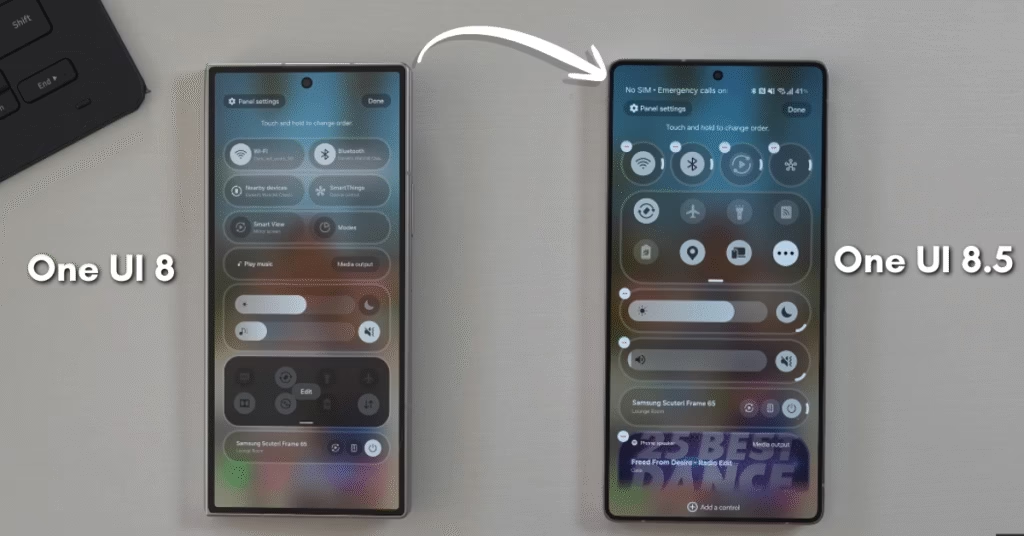
After spending some time with both versions, I’ve finally got a clear picture of what separates One UI 8 and One UI 8.5. On paper, the changes might look minor, but once you start using them in daily life, you’ll notice that Samsung has quietly refined how everything feels and moves.
The New Look and Feel
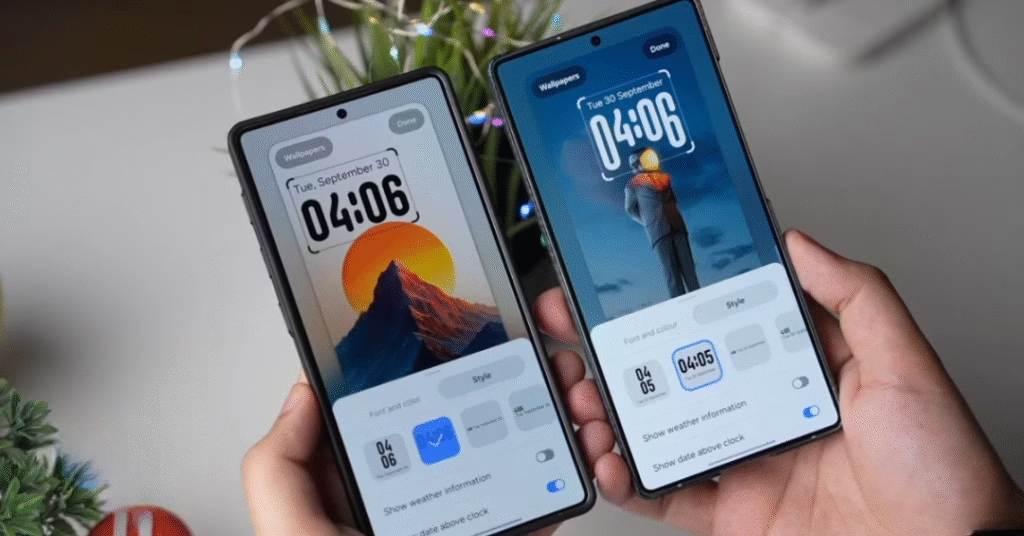
The first thing I noticed after installing the latest One UI 8.5 (build CYJS7) was the redesigned lock-screen clock. Previously, that beautiful dynamic clock only worked with portrait wallpapers, which was annoying when I wanted to use a wide landscape photo. Now it adjusts perfectly to any wallpaper, a small but satisfying detail that makes the phone feel more flexible.
There’s also a new frosted blur effect on the lock screen. It gives a subtle, premium touch that you instantly notice, especially when light hits the background. It’s not a dramatic redesign, but it does make the interface look more polished and modern.
A Smarter Search Experience
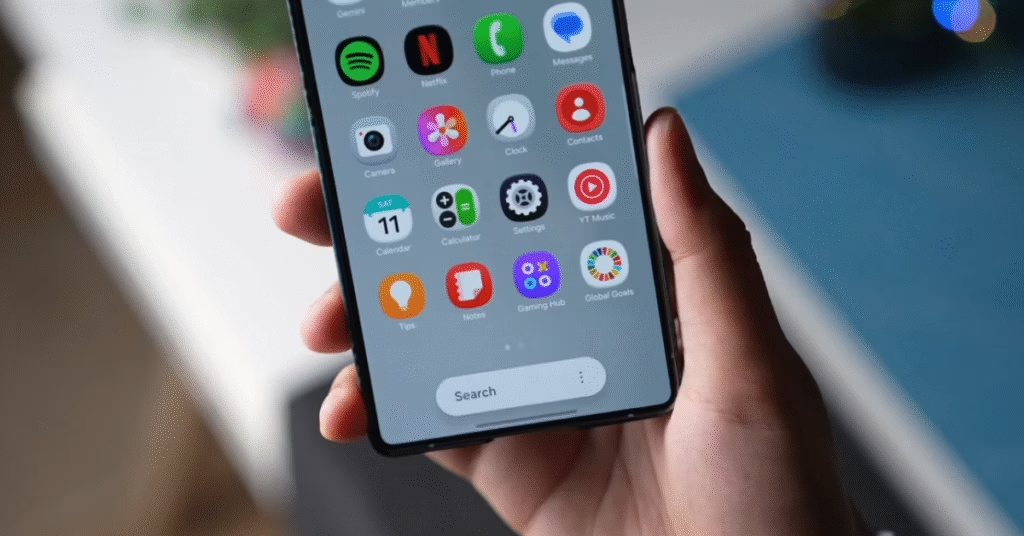
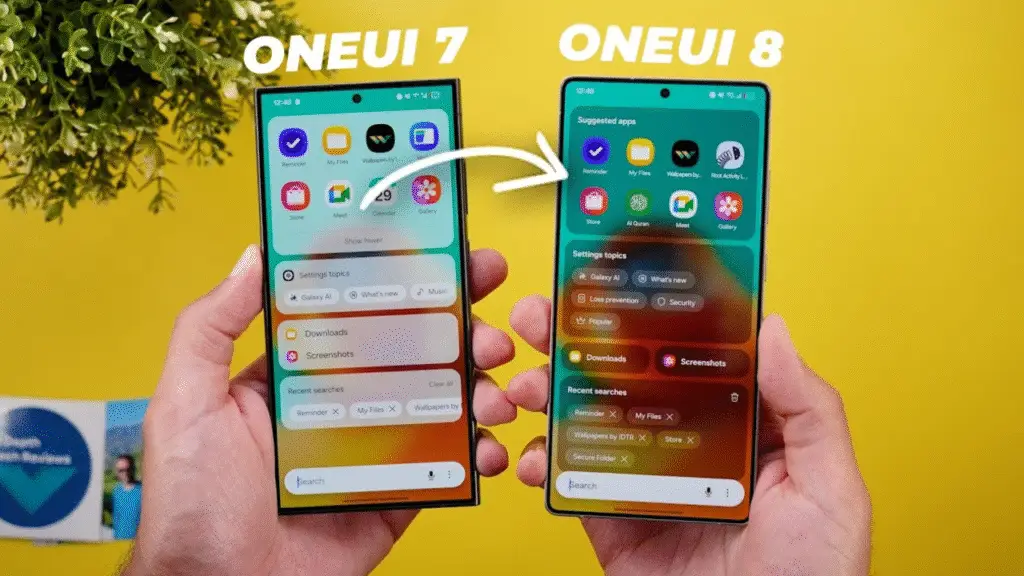
Samsung has added a floating search bar, and while it doesn’t sound exciting, it’s surprisingly useful. On One UI 8, the search field felt static and a bit dated. On One UI 8.5, it now hovers slightly and has smoother animations, which makes it faster to access apps or settings. The new black status bar also blends nicely with darker wallpapers though it’s unclear if this will stay in the final release.
Performance and Daily Use
In terms of performance, both run smoothly, but One UI 8.5 feels a bit more fluid during transitions. That said, this leaked internal firmware is still buggy, so I wouldn’t recommend installing it on your main device yet. Apps occasionally crash, and there are a few visual glitches here and there.
Still, I can see the direction Samsung is heading. It’s all about subtle visual refinement and smarter use of space rather than major overhauls.
The New AI Add-On
One of the most exciting new additions is Google’s NanoBanana image generation tool, which Samsung has built into the Now Brief app. I’ve only played with it for a short time, but it looks like Samsung is ready to lean deeper into creative AI tools. It could become something we use daily for generating quick visuals or fun edits.
What to Expect Next
Samsung plans to launch the stable One UI 8.5 alongside the Galaxy S26 series next year. Interestingly, this will be the first time they open a beta program for a “.5” update, starting later in November. So, if you love testing early builds, this one’s worth keeping an eye on.
Final Thoughts
Comparing One UI 8 vs One UI 8.5, it’s clear Samsung isn’t trying to reinvent anything it’s refining what already works. The new update focuses on smoother animations, a more adaptive design, and a few smart touches that make everyday use more pleasant.
For most people, the differences may not seem groundbreaking, but once you spend a few days with One UI 8.5, going back to One UI 8 feels slightly dull. It’s not perfect yet the leaked version is quite buggy but it hints at a much cleaner, smarter experience ahead.
FAQs
Is One UI 8.5 stable for daily use?
Not yet. The current One UI 8.5 build is an internal leaked firmware that’s still buggy. It’s better to wait for the official stable release.
What’s new in One UI 8.5 compared to One UI 8?
One UI 8.5 brings a new dynamic lock screen clock, a floating search bar, a black status bar, and Google’s NanoBanana AI image tool integration.
When will Samsung release the stable One UI 8.5 update?
The stable One UI 8.5 update is expected to launch alongside the Galaxy S26 series, with the beta program starting by the end of November.
See Also One UI 8.5 Update Is Here: Key Features Explained
Discover more from Phoonomo
Subscribe to get the latest posts sent to your email.