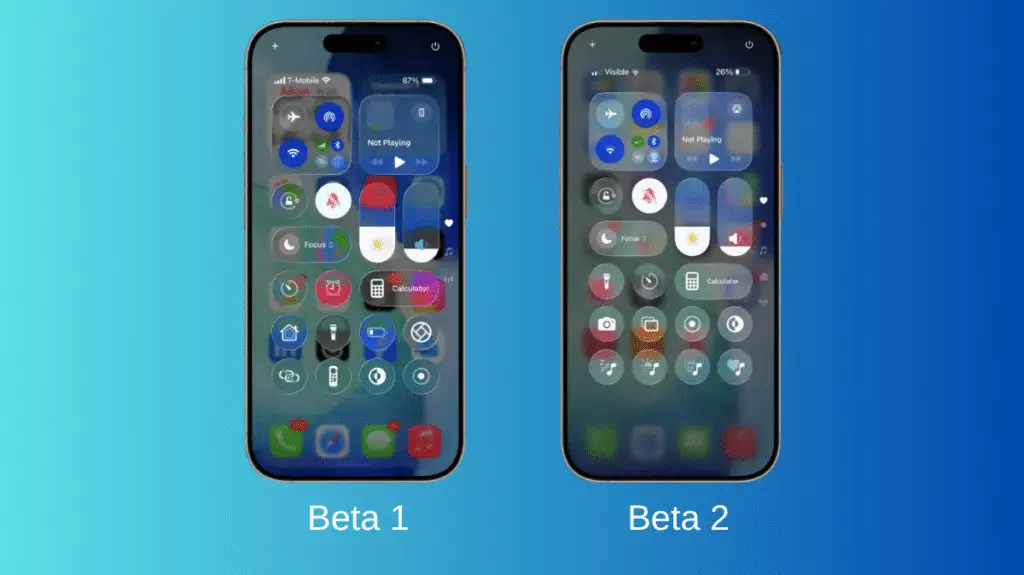
Apple has rolled out iOS 26.1 Beta 4, and it’s all about refining the experience. The update brings subtle yet noticeable changes, especially to the new Liquid Glass feature. From smoother transitions to added customization options and stability tweaks, this beta feels like a fine polish on an already impressive design. Let’s take a quick look at what’s new.
Liquid Glass customization option
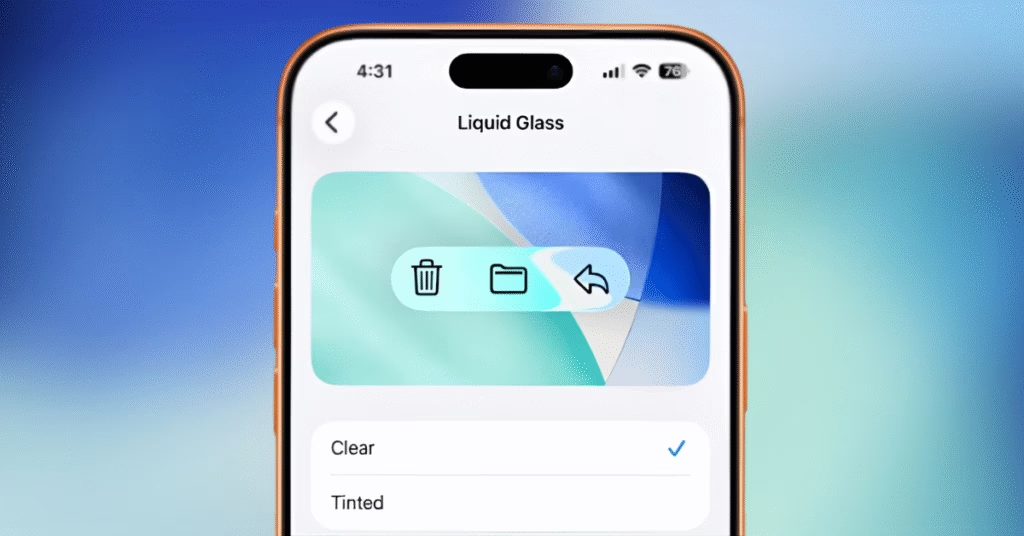
One of the standout additions in iOS 26.1 Beta 4 is the new control over the Liquid Glass appearance. Apple has added a dedicated menu under Settings → Display & Brightness → Liquid Glass, giving users the freedom to customize this visual effect. You can now choose between two styles Clear, which keeps the familiar transparent look, or Tinted, which adds a soft colored layer to menus, notifications, and system panels. The best part is that it works seamlessly in both Light and Dark Mode. This small yet thoughtful change lets users decide how subtle or pronounced the glass effect appears on their screens, adding a nice touch of personalization to the overall iOS design.
Adjustable notification transparency
In iOS 26.1 Beta 4, lock screen notifications now match the Liquid Glass setting. If you choose Clear or Tinted under Settings → Display & Brightness → Liquid Glass, notifications will adjust accordingly for better visibility and contrast.
LockScreen
Apple has finally added the ability to turn off the swipe-to-open camera gesture on the lock screen. You can find it under Settings → Camera → Lock Screen Swipe to Open Camera. This feature prevents accidental camera launches when placing your phone down a small but highly requested improvement.

Improved Liquid Glass integration
The menus, notifications, and quick settings now better align with the selected Liquid Glass theme. This update makes the overall interface look more polished and consistent than in previous beta versions.
Performance and stability improvements
The reviewer observed smoother performance and quicker responsiveness throughout the system. With an update size of around 12 GB, iOS 26.1 Beta 4 clearly includes deeper system optimizations and refinements beyond simple bug fixes.
Release timing hints (RC build)
The build number for iOS 26.1 Beta 4 ends with the letter “A,” signaling that it’s nearing the Release Candidate stage. The RC version is expected around October 26–27, with the official public release likely arriving in early November.
Parallel beta updates across devices
Alongside iOS 26.1 Beta 4, Apple also rolled out iPadOS 26.1, macOS, watchOS, tvOS, and visionOS 26.1 Beta 4 updates, keeping all its platforms in sync with the latest improvements and refinements.
See Also What’s New in iOS 26.1 Beta 2 Update
Discover more from Phoonomo
Subscribe to get the latest posts sent to your email.